Design a high-availability interview assistant.
SELECT confidence FROM candidates WHERE pressure > 0.6;
Describe a conflict with a teammate and how you resolved it.
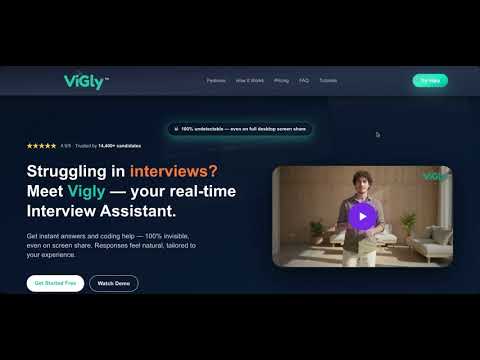
Struggling in interviews?
Meet Vigly — your real-time Interview Assistant.
Get instant answers and coding help — 100% invisible, even on screen share. Responses feel natural, tailored to your experience.
Struggling With Interviews?

Features
Built to quietly have your back in every interview.
Vigly sits beside you like a friend — giving you structure, confidence, and clarity, while staying completely invisible.
100% Private & Undetectable
Vigly runs quietly on your system while keeping your screen completely clean. No overlays, no injected UI, and nothing visible to the interviewer — even during full-desktop screen sharing.
Live Answer Assistance
Vigly delivers structured talking points and phrasing as you answer, helping you stay confident and clear. Guidance is context-aware and appears exactly when you need it.
Resume-Aware Personalization
Vigly learns your experience, projects, and tech stack from your resume. Every answer feels natural, authentic, and based on your real background — never generic.

Coding & System Design Help
From debugging and complexity reasoning to system diagrams and architecture trade-offs, Vigly supports you through every technical round with clarity and structure.
Ultra-Accurate Responses
Vigly generates high-quality answers shaped by your role, stack, and real interview context — clear, structured, and aligned with industry expectations.
Works Across Your Tools
Vigly works across the interview platforms you already use — with no plugins or extensions required.
How It Works
From login to live help in under a minute.
Vigly plugs into your existing interview flow — nothing to learn, nothing to rewire.
Step 01
Sign in with Google
Securely log in to your Vigly dashboard using your Google account — no passwords to remember.
Step 02
Upload Your Resume
Vigly learns your experience, projects, and tech stack so every answer sounds like you.
Step 03
Create an Interview Session
Start a session and Vigly generates a secure session token for your desktop app.
Step 04
Open the Vigly Desktop App
If installed, it opens automatically with your new session. If not, you’ll get a quick download link.
Step 05
Start Interview & Get Real-Time Help
Vigly tracks context and feeds you structured answers — fully invisible.
Pricing that meets everyone's needs.
One step away from landing the job you deserve.
Starter
$49
one-time2 interview credits included.
- ✔Real AI interview copilot
- ✔Resume-aware responses
- ✔JD-based personalization
- ✔Live voice guidance
- ✔Basic interview summary
- ✔Invisible during screen share
- ✔30-day money-back guarantee
Growth
$99
one-time5 interview credits included.
- ✔Everything in Starter
- ✔Coding Agent Gilly (live coding help)
- ✔RAG-powered deep insights
- ✔Advanced analytics & scoring
- ✔Company-specific preparation
- ✔Supports online tests & coding rounds
- ✔Conversation history
- ✔Priority model quality
- ✔30-day money-back guarantee
Pro
$169
one-time10 interview credits included.
- ✔Everything in Growth
- ✔Act-Natural adaptive flow control
- ✔Behavioral & STAR coaching
- ✔Custom interview strategies
- ✔Resume + JD tailored playbook
- ✔Deeper multi-layer personalization
- ✔Premium AI model quality
- ✔Supports tech & non-tech interviews
- ✔30-day money-back guarantee
Frequently Asked Questions
Quick answers to the things people ask the most.
Is it free try Vigly?
Yes — every new user gets free trial sessions to experience Vigly in real interviews.
Is Vigly detectable during interviews?
No. Vigly runs locally and stays invisible on Zoom, Meet, and Teams. The desktop app is the only way to stay fully undetectable—even during full screen sharing.
Does Vigly work in coding interviews?
Yes. Gilly (your coding buddy) can give full working code, fixes, edge cases, and explanations in real time for follow up questions
How does Vigly personalize answers?
Your resume is scanned once. Vigly tailors answers to your projects, roles, and tech stack automatically.
Do I need the desktop app?
Yes. The desktop app loads your session token, runs in the background, and delivers live answers safely and undetectably.
Will Vigly help with behavioral and system design questions?
Absolutely. Vigly acts as real candidate, structures your answers, suggests frameworks, and helps you respond clearly under pressure.
Do you offer refunds?
Yes. We offer a 30-day money-back guarantee on unused credits*. Refunds are not available in cases of abuse or misuse.
Is Vigly compatible with Zoom, Meet, and Teams?
Yes. Vigly works everywhere on macOS and Windows while staying completely invisible.
How do session tokens work?
You create a session in the dashboard. A secure token auto-opens the desktop app and loads your context instantly.
Is Vigly safe to use for real interviews?
Yes. Thousands of users rely on Vigly for real interviews. It stays invisible, uses local processing, and never interferes with your meeting apps.
Does Vigly store any interview audio?
No. All audio is processed locally. Nothing is uploaded, stored, or sent to servers.
Do I need any training to use Vigly?
No. It takes less than 60 seconds to start. Just sign in, upload your resume, create a session, and start your interview.
Learn Vigly in under a minute.
Short, focused tutorials that show exactly how Vigly works in real interviews.
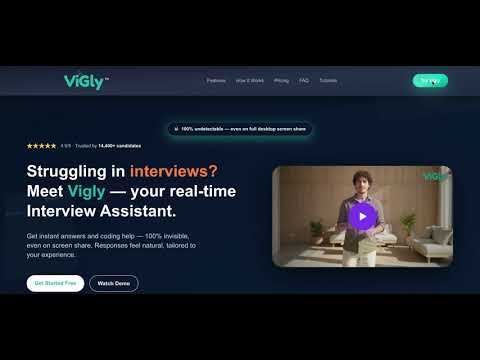
Starting your first session
Start hereCreate a session in the dashboard and auto-launch the desktop app.
Real Time Interview Support on Mac OS
Vigly Setup: MacOsInstall Vigly safely, approve permissions and launch your first session.
Real Time Interview Support on Windows
Vigly Setup: WindowsInstall Vigly safely, and launch your first session.
Using Coding Agent Gilly
Coding AgentLearn how Gilly solves coding rounds and follows up automatically.
Vigly in live interviews
Live InterviewHow Vigly listens, understands context, feeds answers in real time and helps you respond instantly and naturally.
Watch Demo
Vigly DemoSee a full walkthrough of Vigly in action.
Turn stressful interviews into predictable wins.
Real-time answers. Full coding help. Fully invisible.
30-day money-back guarantee · Works with Zoom, Meet, Teams, CoderPad & more.
Helped with 12,000+ Interviews and counting. Candidates are landing roles at top companies.